> For the complete documentation index, see [llms.txt](https://taiphoon-com.gitbook.io/taiphoon.com-docs/llms.txt). Markdown versions of documentation pages are available by appending `.md` to page URLs; this page is available as [Markdown](https://taiphoon-com.gitbook.io/taiphoon.com-docs/ja/firmware/betaflight/first-setup/configuration.md).
# 基本設定
**Configuration** ページと **Blackbox** ページの設定を確認します。Morakot の Betaflight ファームウェアにはデフォルト値が設定されているため、初回設定では通常、確認するだけで済みます。
{% hint style="info" %}
このバージョンの Betaflight App では、ボードの向きとセンサーのオン/オフは **Sensors** ページ([加速度センサーとコンパスのキャリブレーション](/taiphoon.com-docs/ja/firmware/betaflight/first-setup/calibration.md)を参照)に、ESC テレメトリー(ESC\_SENSOR)は **Motors** ページ([モーターの設定](/taiphoon.com-docs/ja/firmware/betaflight/first-setup/motors.md)を参照)にあります。
{% endhint %}
## Configuration ページ
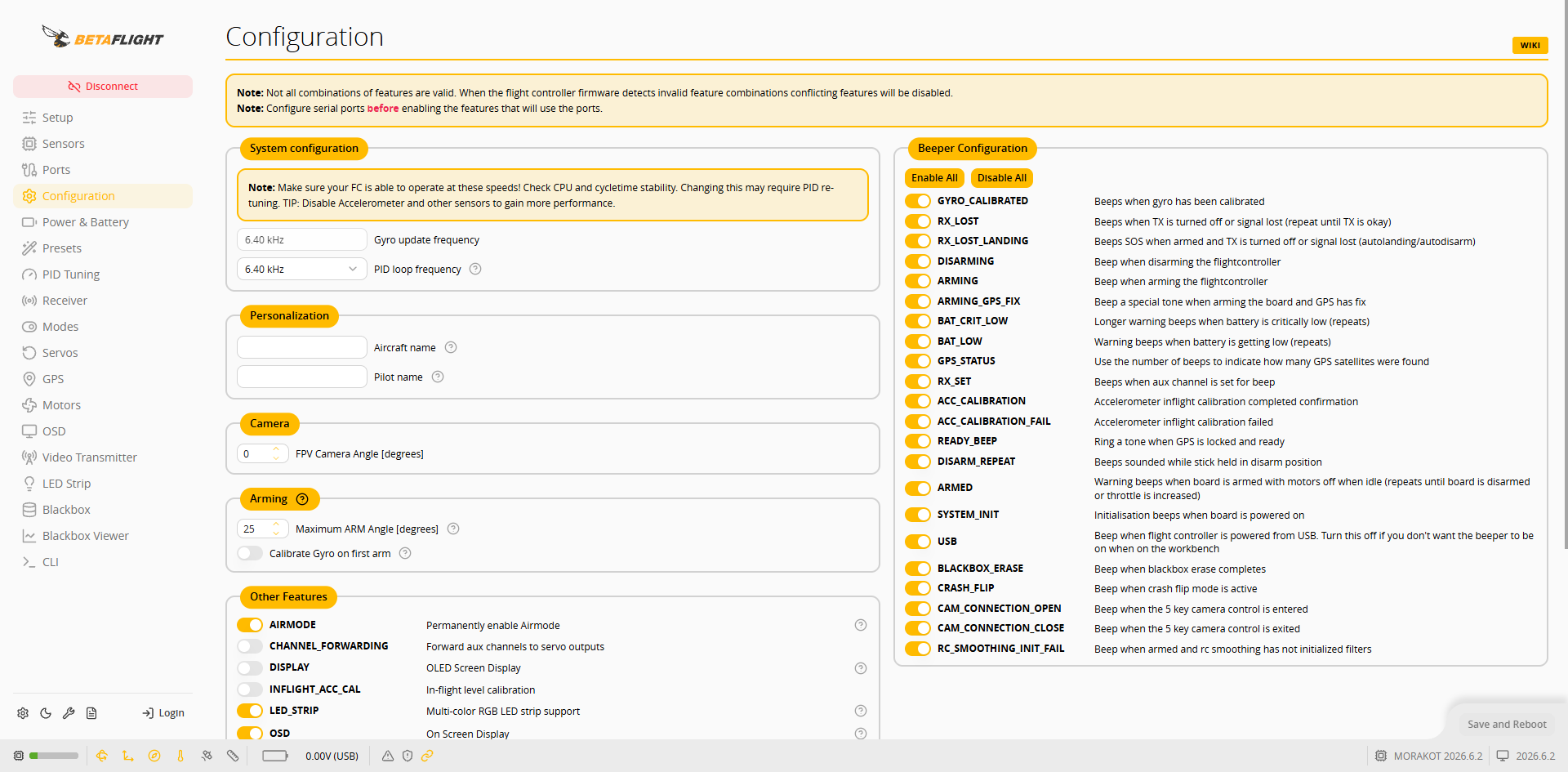 | セクション | デフォルト値 | 説明 |
| -------------------- | ------------------------------------------------- | --------------------------- |
| System configuration | Gyro update frequency、PID loop frequency:6.40 kHz | ジャイロスコープの更新と PID ループの周波数 |
| Personalization | Aircraft name、Pilot name:空欄 | 任意入力 |
| Arming | Maximum ARM Angle:25 | 機体の傾きがこの角度(度)を超えるとアームできません |
| Other Features | AIRMODE、LED\_STRIP、OSD が有効 | LED\_STRIP は LED ストリップの機能です |
変更後、右下の **Save and Reboot** を押します。
## Blackbox ページ
デフォルトでは、フライトログをオンボード SD カードに書き込みます。**Blackbox logging device** は **SD Card**、**Blackbox logging rate** は **1/4 (1600Hz)** です。
| セクション | デフォルト値 | 説明 |
| -------------------- | ------------------------------------------------- | --------------------------- |
| System configuration | Gyro update frequency、PID loop frequency:6.40 kHz | ジャイロスコープの更新と PID ループの周波数 |
| Personalization | Aircraft name、Pilot name:空欄 | 任意入力 |
| Arming | Maximum ARM Angle:25 | 機体の傾きがこの角度(度)を超えるとアームできません |
| Other Features | AIRMODE、LED\_STRIP、OSD が有効 | LED\_STRIP は LED ストリップの機能です |
変更後、右下の **Save and Reboot** を押します。
## Blackbox ページ
デフォルトでは、フライトログをオンボード SD カードに書き込みます。**Blackbox logging device** は **SD Card**、**Blackbox logging rate** は **1/4 (1600Hz)** です。
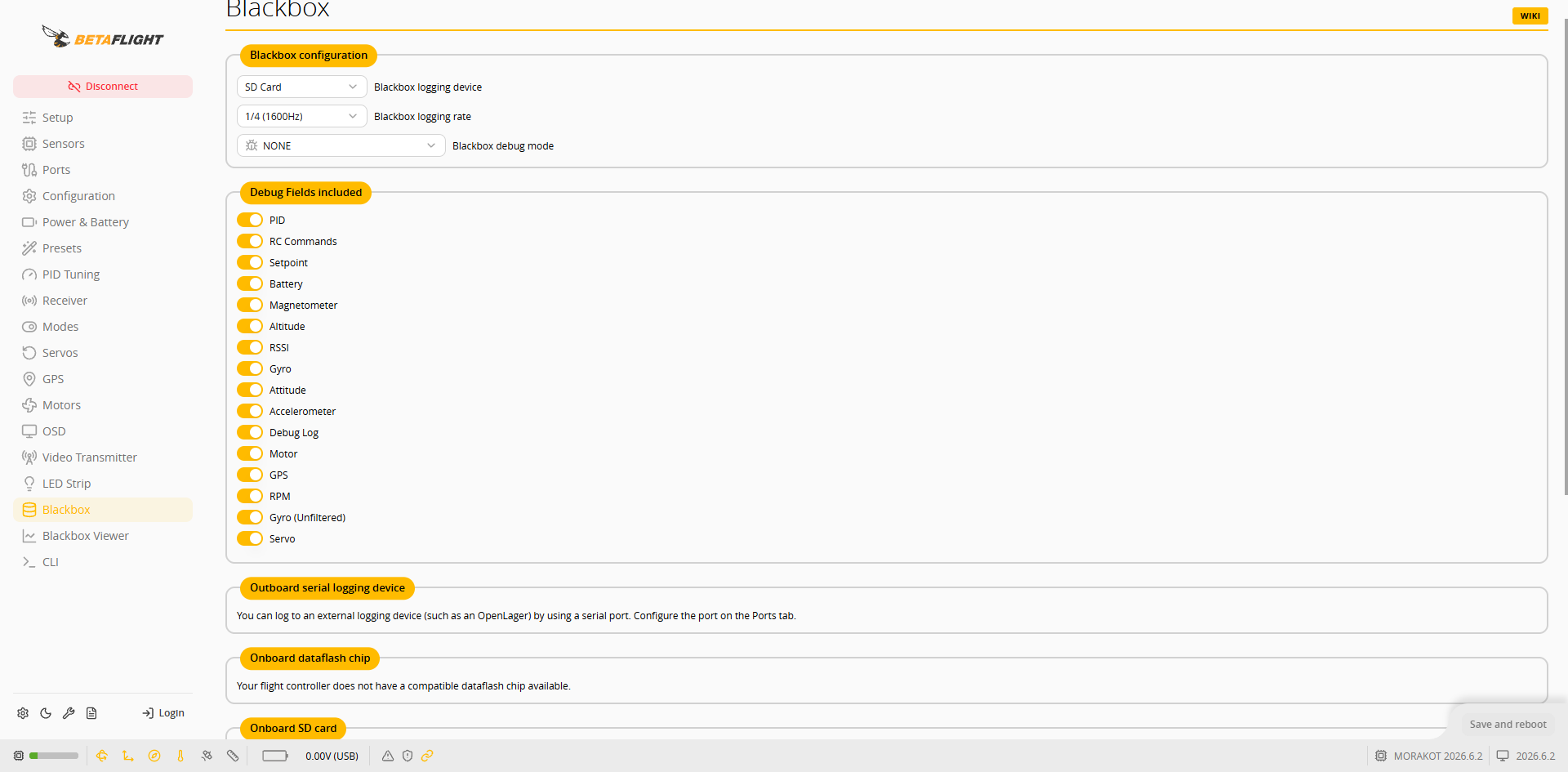 **Onboard SD card** セクションには、SD カードの状態(`Card ready`)と空き容量が表示されます。パソコンでログファイルを読み取る場合は、**Activate Mass Storage Device Mode** を押すと、フライトコントローラーが USB ストレージデバイスとしてパソコンに表示されます。
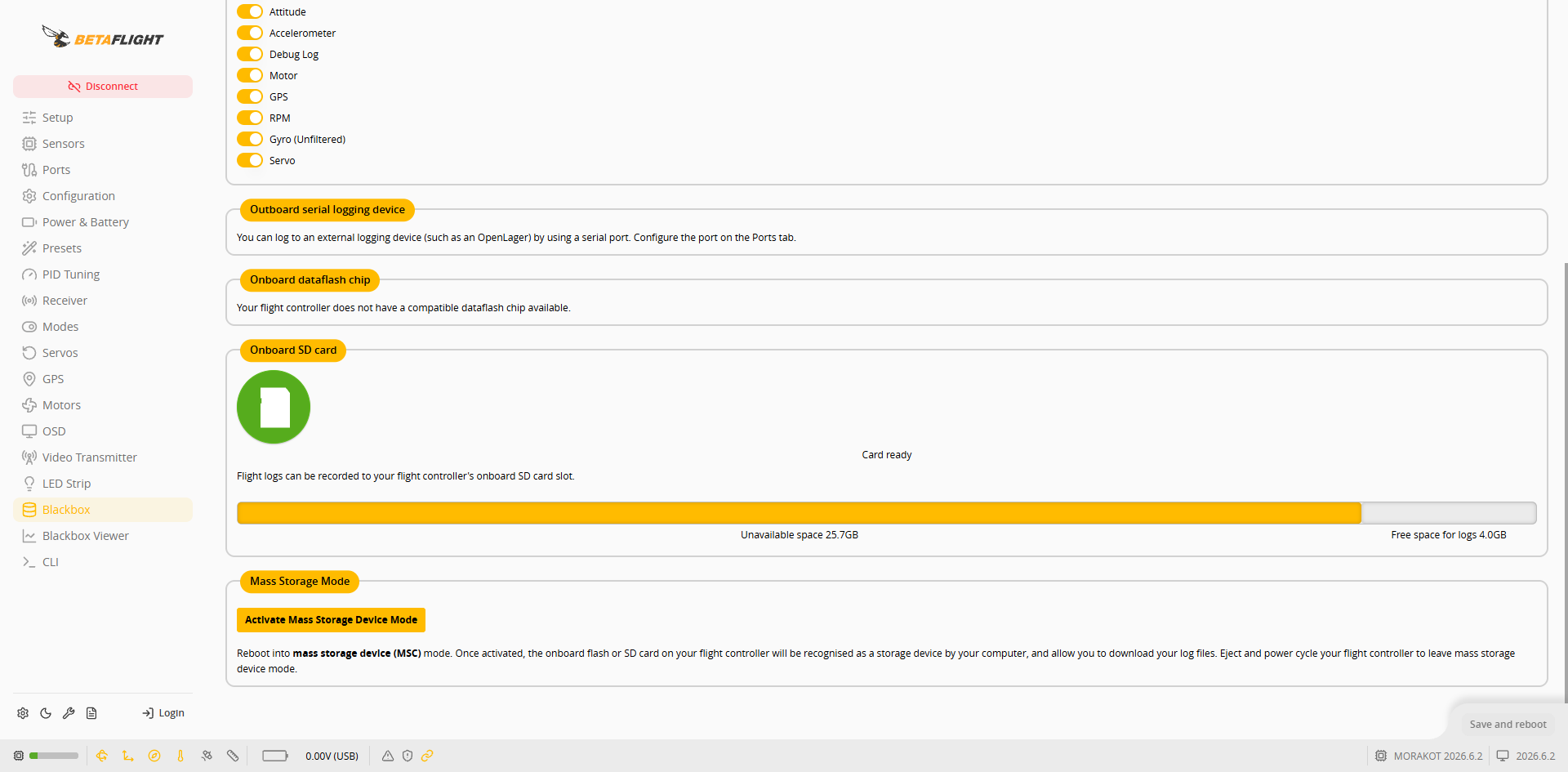 変更後、右下の **Save and reboot** を押します。