> For the complete documentation index, see [llms.txt](https://taiphoon-com.gitbook.io/taiphoon.com-docs/llms.txt). Markdown versions of documentation pages are available by appending `.md` to page URLs; this page is available as [Markdown](https://taiphoon-com.gitbook.io/taiphoon.com-docs/ja/firmware/betaflight/first-setup/modes.md).
# モードの設定
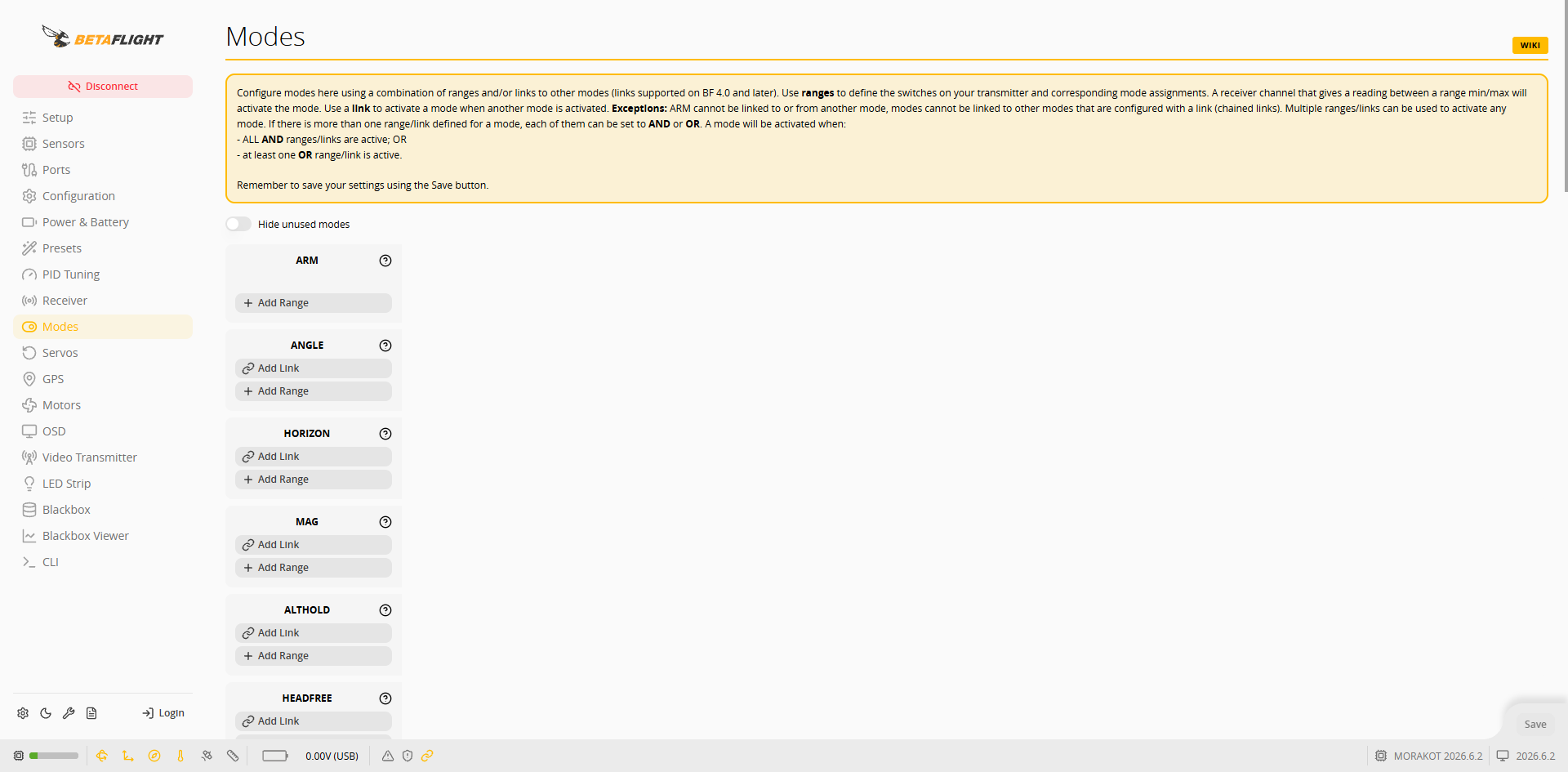
**Modes** ページで、送信機のスイッチ(AUX チャンネル)をアームとフライトモードに割り当てます。
 ## 範囲の追加
1. 使用するモードで **Add Range** を押します。
2. チャンネルメニューで、スイッチに対応する AUX チャンネルを選択します。
## 範囲の追加
1. 使用するモードで **Add Range** を押します。
2. チャンネルメニューで、スイッチに対応する AUX チャンネルを選択します。
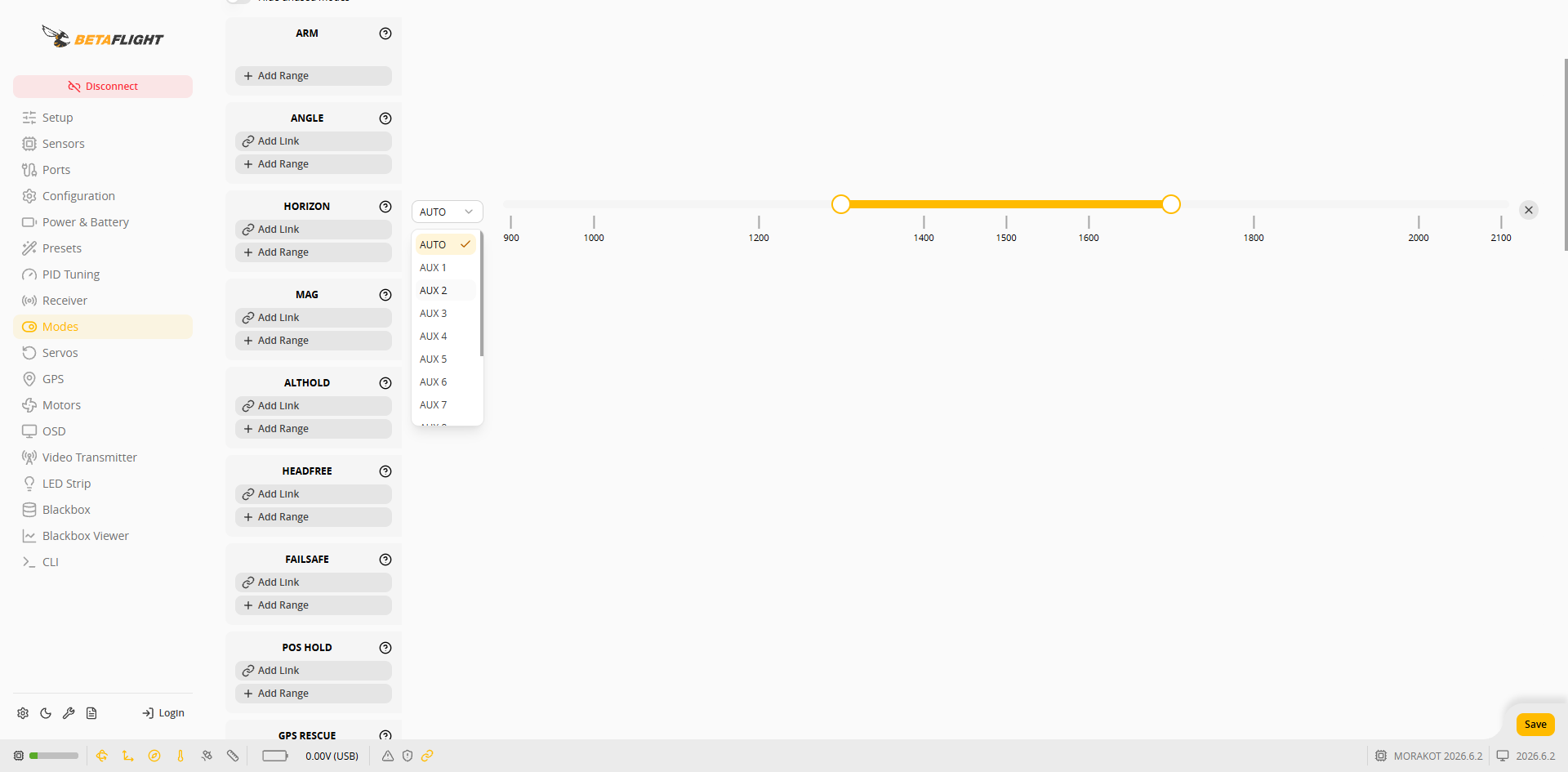 3. スライダーの両端をドラッグして、スイッチ位置に対応する値の範囲を設定します。スイッチ位置が範囲内にあるとき、そのモードが有効になります。
4. 右下の **Save** を押します。
## 設定例
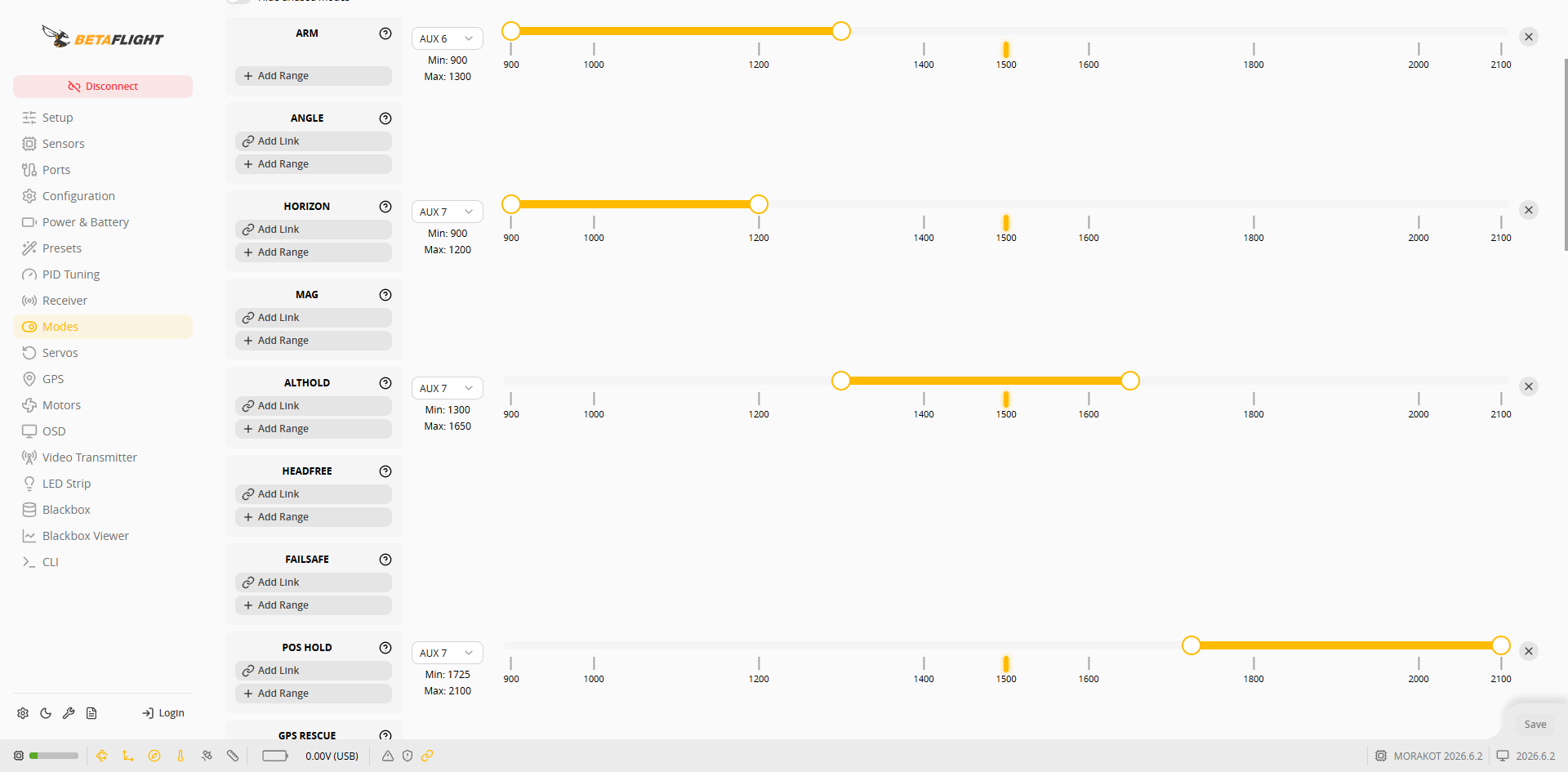
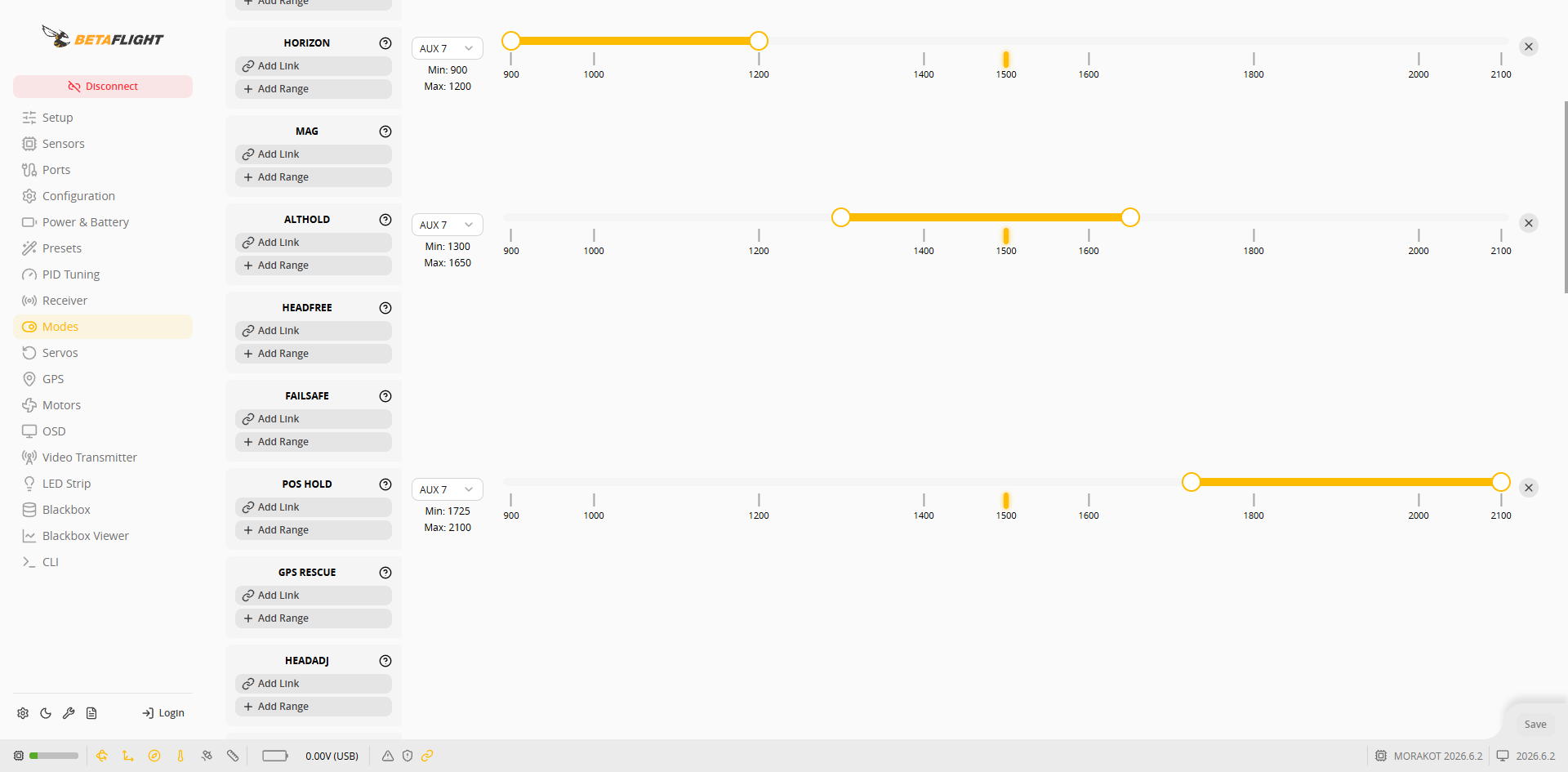
AUX 6 をアームスイッチ、AUX 7 を 3 段階のフライトモードスイッチとする例:
| モード | チャンネル | 範囲 |
| -------- | ----- | --------- |
| ARM | AUX 6 | 900~1300 |
| HORIZON | AUX 7 | 900~1200 |
| ALTHOLD | AUX 7 | 1300~1650 |
| POS HOLD | AUX 7 | 1725~2100 |
3. スライダーの両端をドラッグして、スイッチ位置に対応する値の範囲を設定します。スイッチ位置が範囲内にあるとき、そのモードが有効になります。
4. 右下の **Save** を押します。
## 設定例
AUX 6 をアームスイッチ、AUX 7 を 3 段階のフライトモードスイッチとする例:
| モード | チャンネル | 範囲 |
| -------- | ----- | --------- |
| ARM | AUX 6 | 900~1300 |
| HORIZON | AUX 7 | 900~1200 |
| ALTHOLD | AUX 7 | 1300~1650 |
| POS HOLD | AUX 7 | 1725~2100 |
 チャンネルと範囲は送信機のスイッチ設定に応じて調整し、[受信機の設定](/taiphoon.com-docs/ja/firmware/betaflight/first-setup/receiver.md)で確認したスイッチの実際の値を基準にします。
{% hint style="info" %}
* ANGLE や HORIZON などの自己安定モードが有効になっていない場合、フライトコントローラーは Acro モードで飛行します。
* ALTHOLD には気圧計が、POS HOLD には GPS 測位が必要です。
* スイッチが ALTHOLD の範囲内にあるときはアームできません。[初回飛行](/taiphoon.com-docs/ja/firmware/betaflight/first-flight.md)のアーム制限を参照してください。
{% endhint %}
チャンネルと範囲は送信機のスイッチ設定に応じて調整し、[受信機の設定](/taiphoon.com-docs/ja/firmware/betaflight/first-setup/receiver.md)で確認したスイッチの実際の値を基準にします。
{% hint style="info" %}
* ANGLE や HORIZON などの自己安定モードが有効になっていない場合、フライトコントローラーは Acro モードで飛行します。
* ALTHOLD には気圧計が、POS HOLD には GPS 測位が必要です。
* スイッチが ALTHOLD の範囲内にあるときはアームできません。[初回飛行](/taiphoon.com-docs/ja/firmware/betaflight/first-flight.md)のアーム制限を参照してください。
{% endhint %}