> For the complete documentation index, see [llms.txt](https://taiphoon-com.gitbook.io/taiphoon.com-docs/llms.txt). Markdown versions of documentation pages are available by appending `.md` to page URLs; this page is available as [Markdown](https://taiphoon-com.gitbook.io/taiphoon.com-docs/ja/firmware/betaflight/first-setup/osd.md).
# OSD の設定
**OSD** ページで、映像送信機の映像に表示する飛行情報を設定します。Morakot の Betaflight ファームウェアは、デフォルトで UART1 の MSP DisplayPort を介してデジタル映像送信機に OSD を出力し、**Video Format** は **HD** と表示されます。
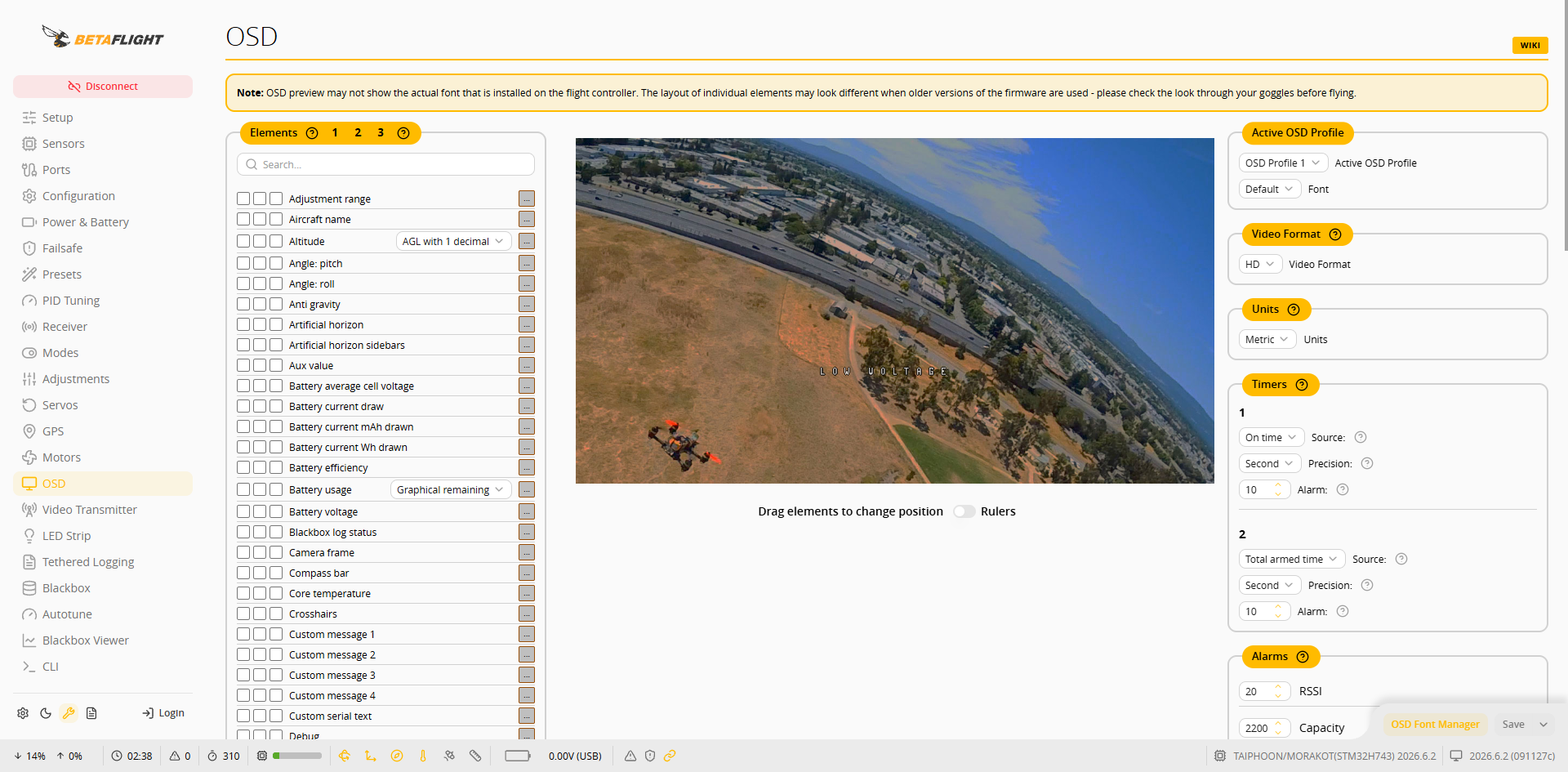 1. **Elements** リストで表示する項目を有効にします。**1**、**2**、**3** の 3 列は OSD Profile 1~3 に対応します。
2. プレビュー画面で項目をドラッグして位置を調整します。
3. 右側で **Units**、**Timers**、**Alarms**(例:RSSI、容量、高度、リンク品質の警告値)を設定します。
4. **Warnings** で表示する警告のオン/オフを切り替え、**Post Flight Statistics** でディスアーム後に表示する統計項目を設定します。
1. **Elements** リストで表示する項目を有効にします。**1**、**2**、**3** の 3 列は OSD Profile 1~3 に対応します。
2. プレビュー画面で項目をドラッグして位置を調整します。
3. 右側で **Units**、**Timers**、**Alarms**(例:RSSI、容量、高度、リンク品質の警告値)を設定します。
4. **Warnings** で表示する警告のオン/オフを切り替え、**Post Flight Statistics** でディスアーム後に表示する統計項目を設定します。
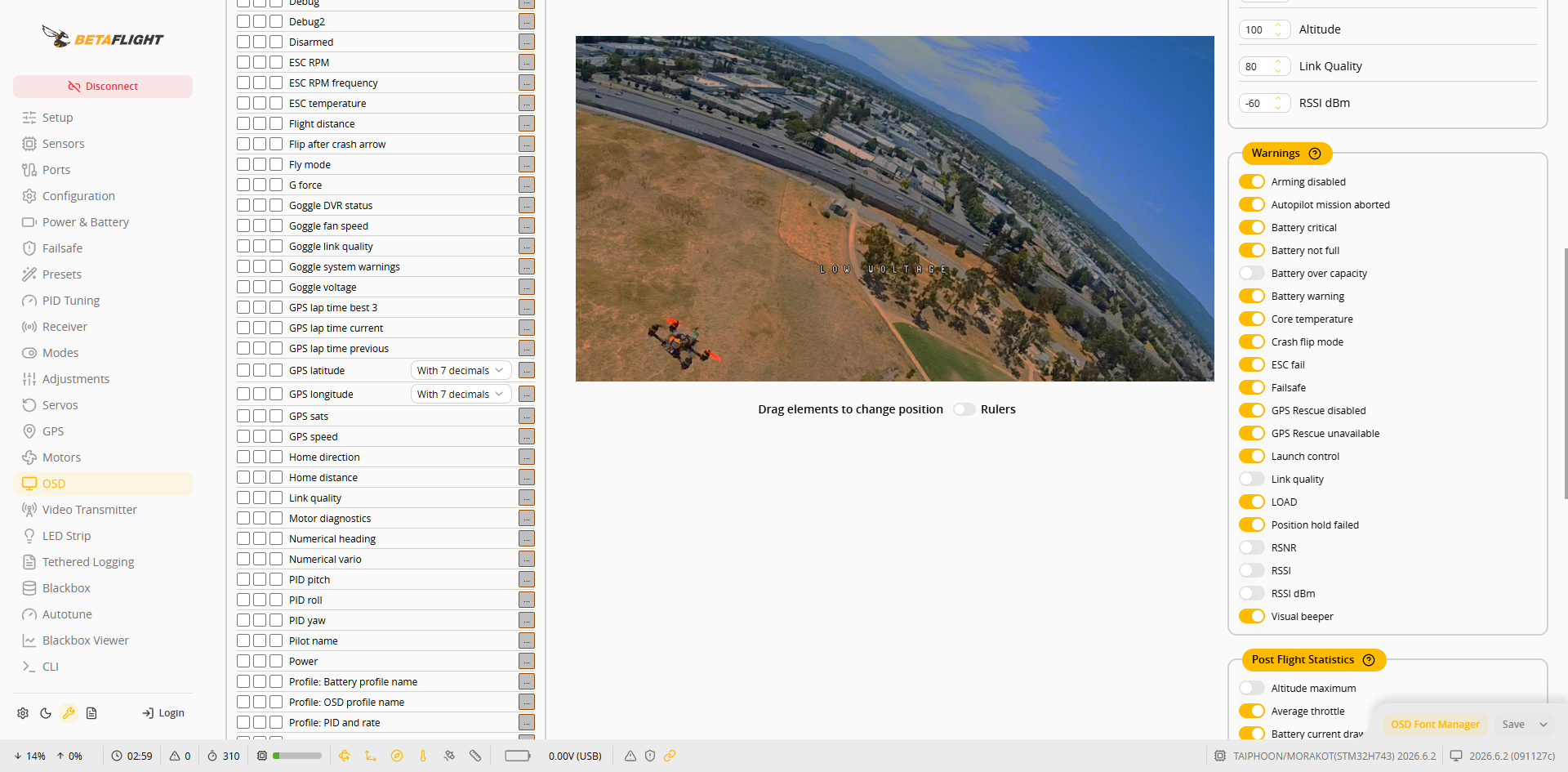 5. 右下の **Save** を押します。
{% hint style="info" %}
プレビュー画面では、フライトコントローラーに実際にインストールされているフォントが使われるとは限らず、各項目の表示スタイルも異なる場合があります。飛行前にゴーグルまたはモニターで実際の画面を確認してください。
{% endhint %}
5. 右下の **Save** を押します。
{% hint style="info" %}
プレビュー画面では、フライトコントローラーに実際にインストールされているフォントが使われるとは限らず、各項目の表示スタイルも異なる場合があります。飛行前にゴーグルまたはモニターで実際の画面を確認してください。
{% endhint %}