> For the complete documentation index, see [llms.txt](https://taiphoon-com.gitbook.io/taiphoon.com-docs/llms.txt). Markdown versions of documentation pages are available by appending `.md` to page URLs; this page is available as [Markdown](https://taiphoon-com.gitbook.io/taiphoon.com-docs/ja/firmware/px4/first-setup/airframe.md).
# フレームの選択(Airframe)
機体に合ったフレームを選択すると、QGroundControl がそのフレームのデフォルトパラメータを適用します。
{% hint style="warning" %}
フレームを適用すると、Radio Calibration 以外のすべてのパラメータがリセットされます。この手順を先に完了してから、その他のキャリブレーションと設定を行ってください。
{% endhint %}
{% stepper %}
{% step %}
### フレームと機種の選択
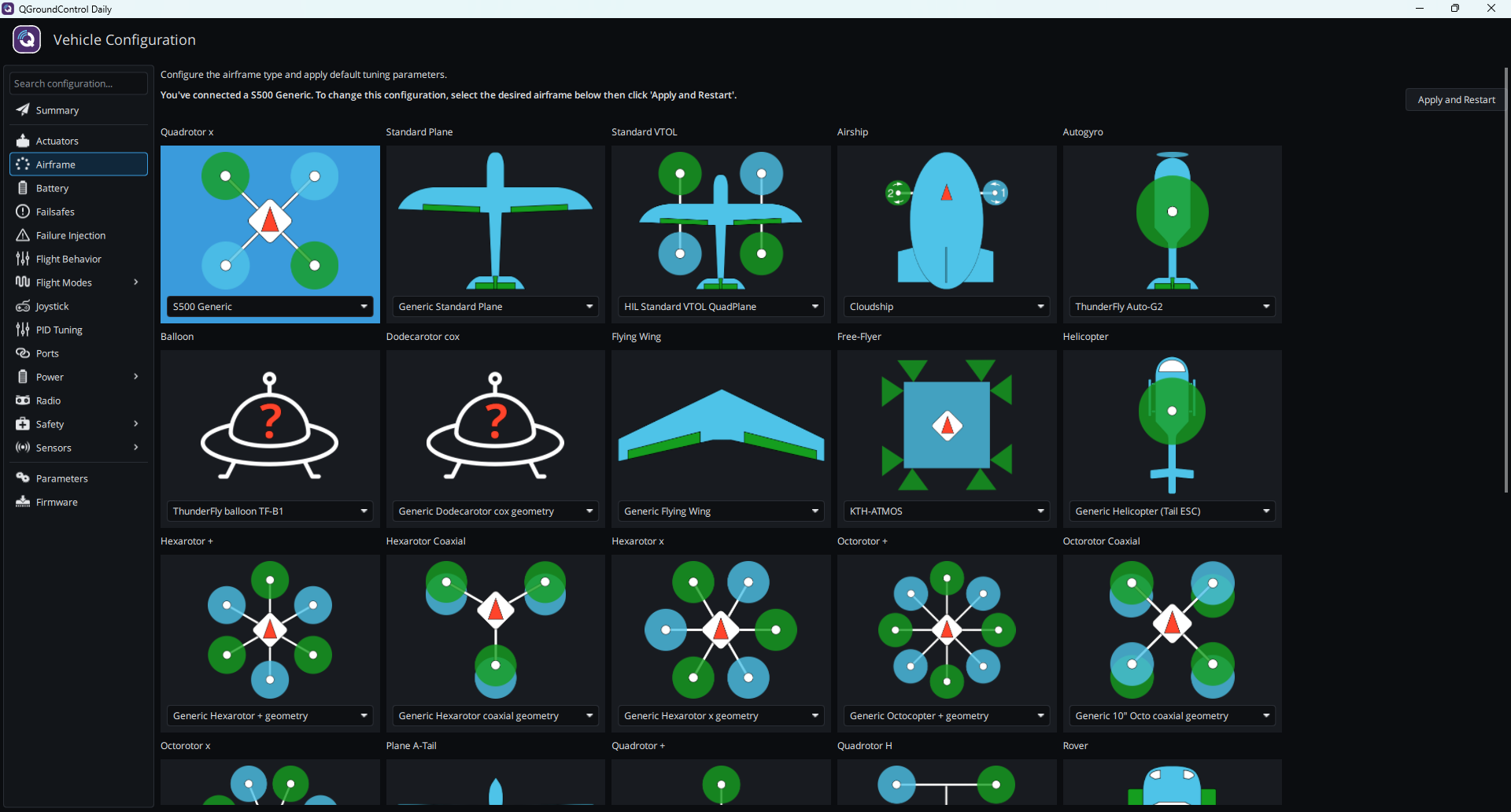
**Vehicle Configuration** の左側で **Airframe** をクリックします。フレームタイプ(例:**Quadrotor x**)を選択し、次にカードのドロップダウンメニューで機種(例:**S500 Generic**)を選択します。
 {% endstep %}
{% step %}
### 設定の適用
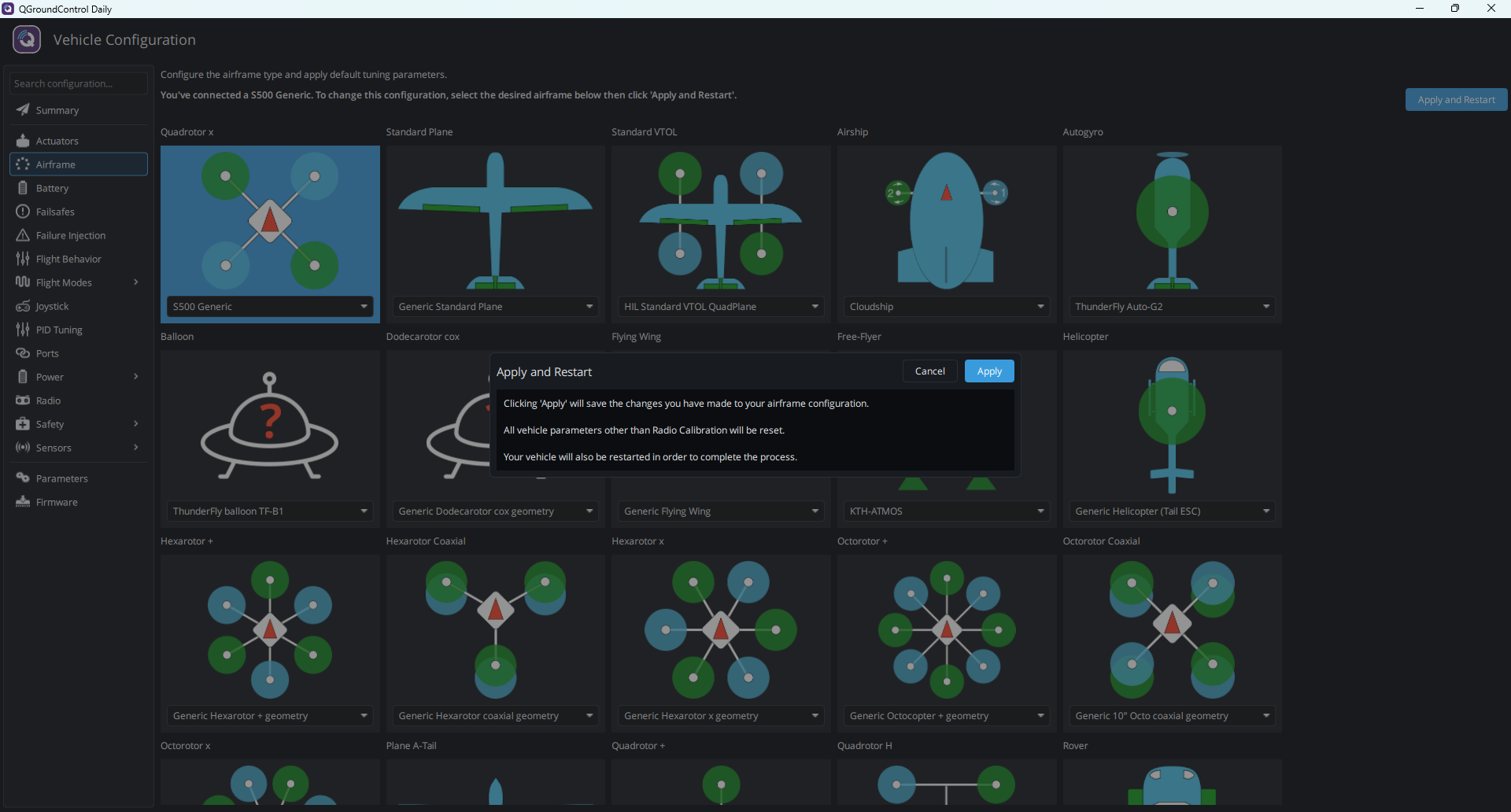
右上の **Apply and Restart** を押し、確認ウィンドウで **Apply** を押します。
{% endstep %}
{% step %}
### 設定の適用
右上の **Apply and Restart** を押し、確認ウィンドウで **Apply** を押します。
 {% endstep %}
{% step %}
### フライトコントローラーの再起動
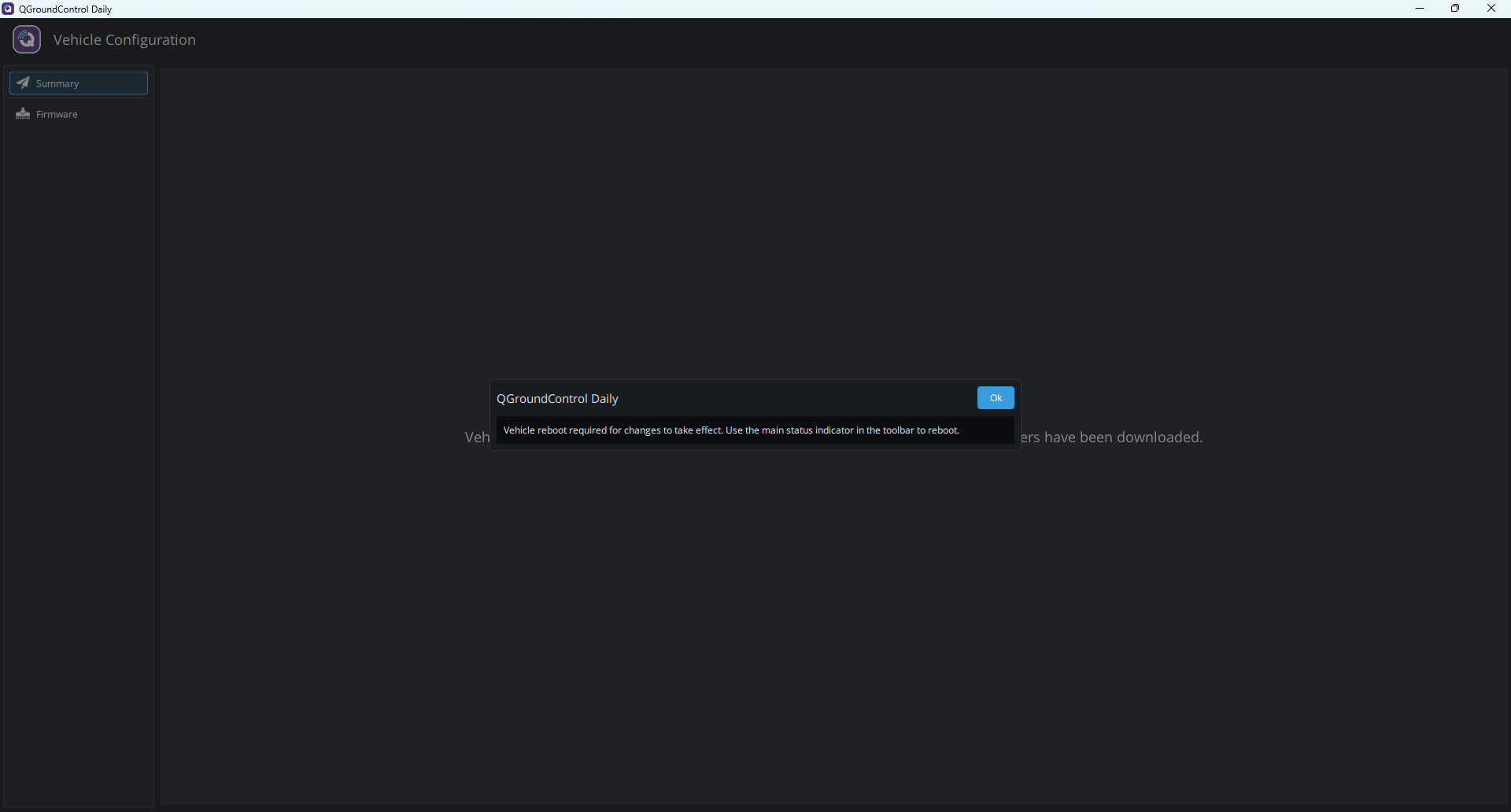
`Vehicle reboot required for changes to take effect.` と表示されたら **Ok** を押し、メッセージに従ってツールバーのメインステータス表示からフライトコントローラーを再起動します。
{% endstep %}
{% step %}
### フライトコントローラーの再起動
`Vehicle reboot required for changes to take effect.` と表示されたら **Ok** を押し、メッセージに従ってツールバーのメインステータス表示からフライトコントローラーを再起動します。
 {% endstep %}
{% endstepper %}
## 次のステップ
[加速度センサーのキャリブレーション](/taiphoon.com-docs/ja/firmware/px4/first-setup/accelerometer-calibration.md)
{% endstep %}
{% endstepper %}
## 次のステップ
[加速度センサーのキャリブレーション](/taiphoon.com-docs/ja/firmware/px4/first-setup/accelerometer-calibration.md)