> For the complete documentation index, see [llms.txt](https://taiphoon-com.gitbook.io/taiphoon.com-docs/llms.txt). Markdown versions of documentation pages are available by appending `.md` to page URLs; this page is available as [Markdown](https://taiphoon-com.gitbook.io/taiphoon.com-docs/ja/firmware/px4/first-setup/compass-calibration.md).
# コンパスのキャリブレーション
画面の指示に従って機体を 6 つの姿勢に置いて回転させ続け、コンパスのキャリブレーションを完了します。
{% hint style="warning" %}
まずプロペラを取り外してください。金属物、パソコン、その他の磁場源から離れた場所でキャリブレーションしてください。
{% endhint %}
{% stepper %}
{% step %}
### キャリブレーションの開始
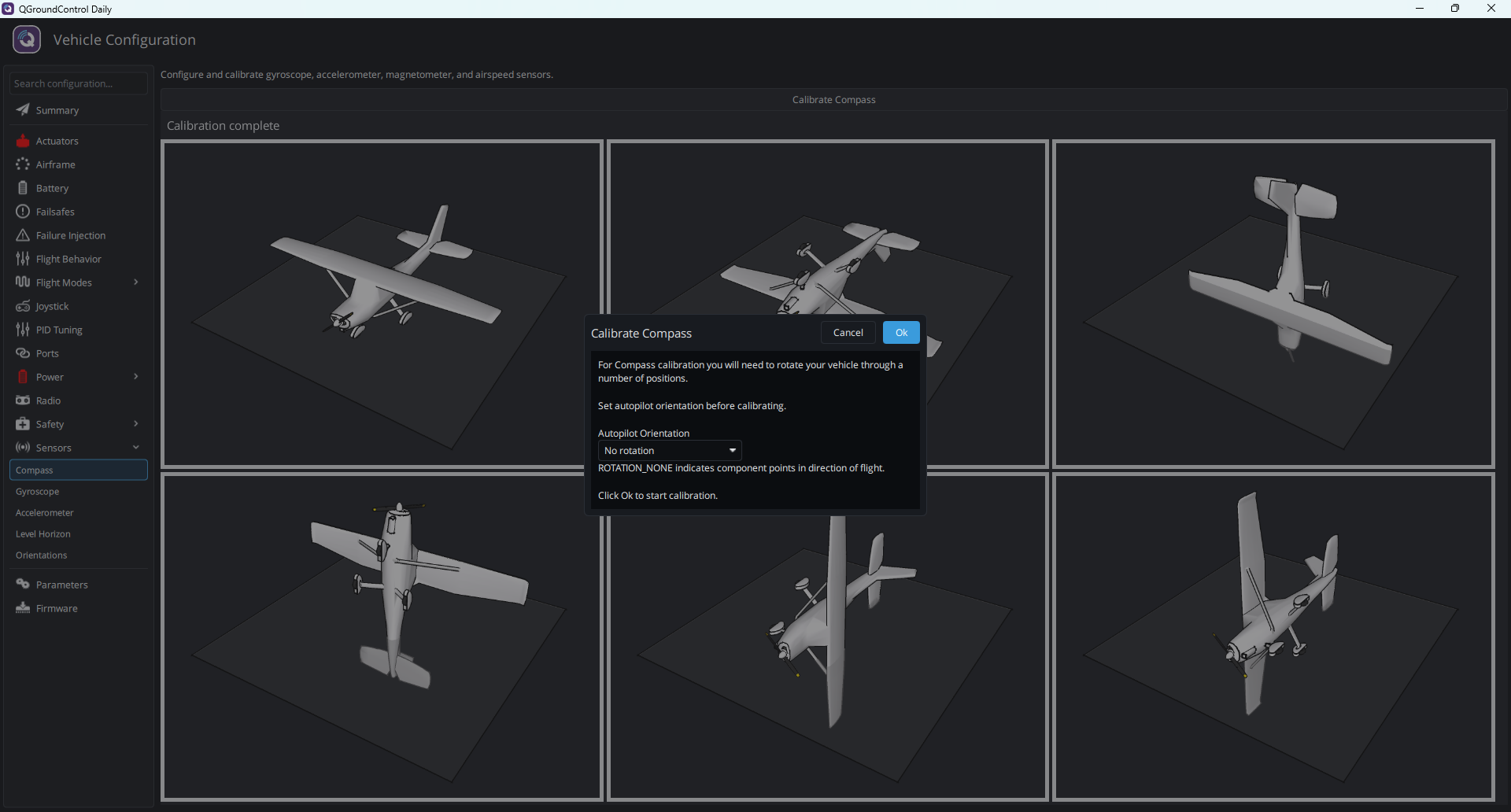
**Vehicle Configuration** の左側で **Sensors** → **Compass** をクリックし、**Calibrate Compass** を押します。**Autopilot Orientation** を確認してから **Ok** を押します。
 {% endstep %}
{% step %}
### 6 つの姿勢で順に回転させる
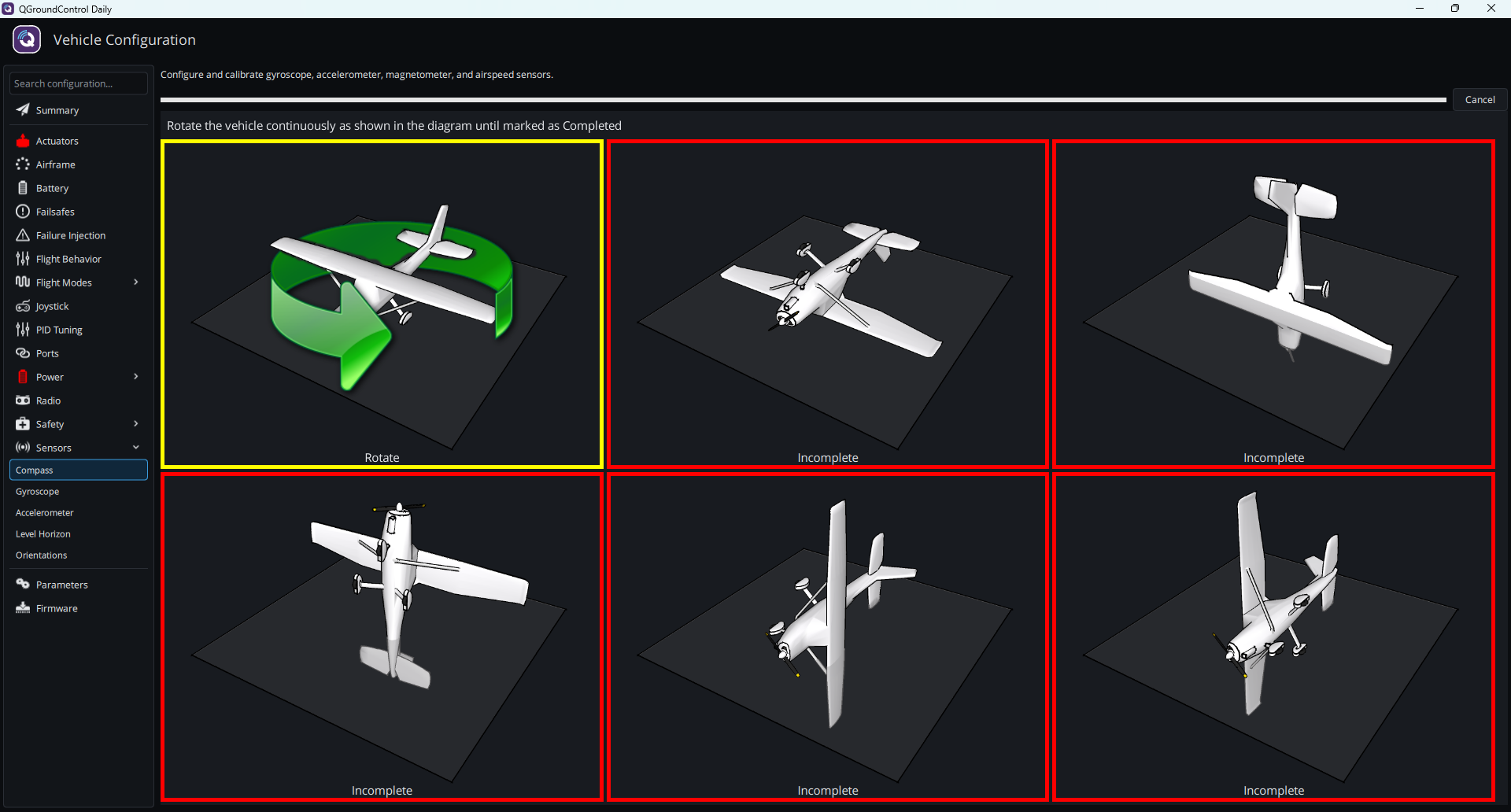
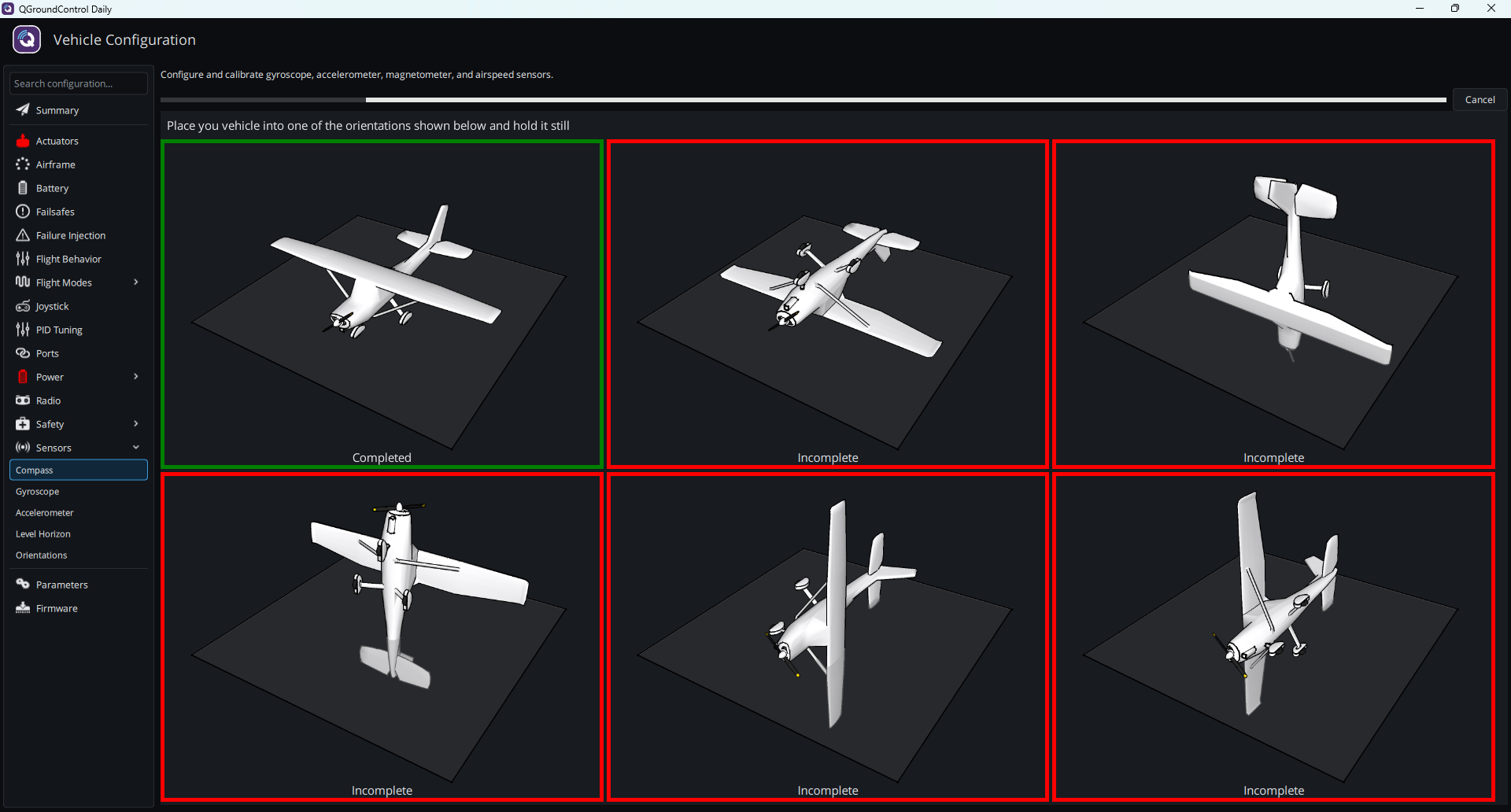
図に従って、未完了(**Incomplete**)のいずれかの姿勢に機体を置きます。枠が黄色になり **Rotate** と表示されたら、緑色の **Completed** になるまで緑色の矢印に従って機体を回転させ続け、次の姿勢に移ります。
{% endstep %}
{% step %}
### 6 つの姿勢で順に回転させる
図に従って、未完了(**Incomplete**)のいずれかの姿勢に機体を置きます。枠が黄色になり **Rotate** と表示されたら、緑色の **Completed** になるまで緑色の矢印に従って機体を回転させ続け、次の姿勢に移ります。
 {% endstep %}
{% step %}
### キャリブレーションの完了
6 つの姿勢すべてに **Completed** が表示されると、コンパスのキャリブレーションは完了です。
{% endstep %}
{% endstepper %}
{% hint style="info" %}
`Retry calibration (unable to fit mag 0)` または `[cal] calibration failed: mag` と表示された場合は、コンパスのキャリブレーションに失敗しています。磁気干渉から離れた場所に移動してから、再度キャリブレーションしてください。
{% endhint %}
## 次のステップ
[モーター出力の設定とテスト](/taiphoon.com-docs/ja/firmware/px4/first-setup/motor-setup.md)
{% endstep %}
{% step %}
### キャリブレーションの完了
6 つの姿勢すべてに **Completed** が表示されると、コンパスのキャリブレーションは完了です。
{% endstep %}
{% endstepper %}
{% hint style="info" %}
`Retry calibration (unable to fit mag 0)` または `[cal] calibration failed: mag` と表示された場合は、コンパスのキャリブレーションに失敗しています。磁気干渉から離れた場所に移動してから、再度キャリブレーションしてください。
{% endhint %}
## 次のステップ
[モーター出力の設定とテスト](/taiphoon.com-docs/ja/firmware/px4/first-setup/motor-setup.md)