> For the complete documentation index, see [llms.txt](https://taiphoon-com.gitbook.io/taiphoon.com-docs/llms.txt). Markdown versions of documentation pages are available by appending `.md` to page URLs; this page is available as [Markdown](https://taiphoon-com.gitbook.io/taiphoon.com-docs/th/firmware/betaflight/first-setup/modes.md).
# ตั้งค่าโหมด
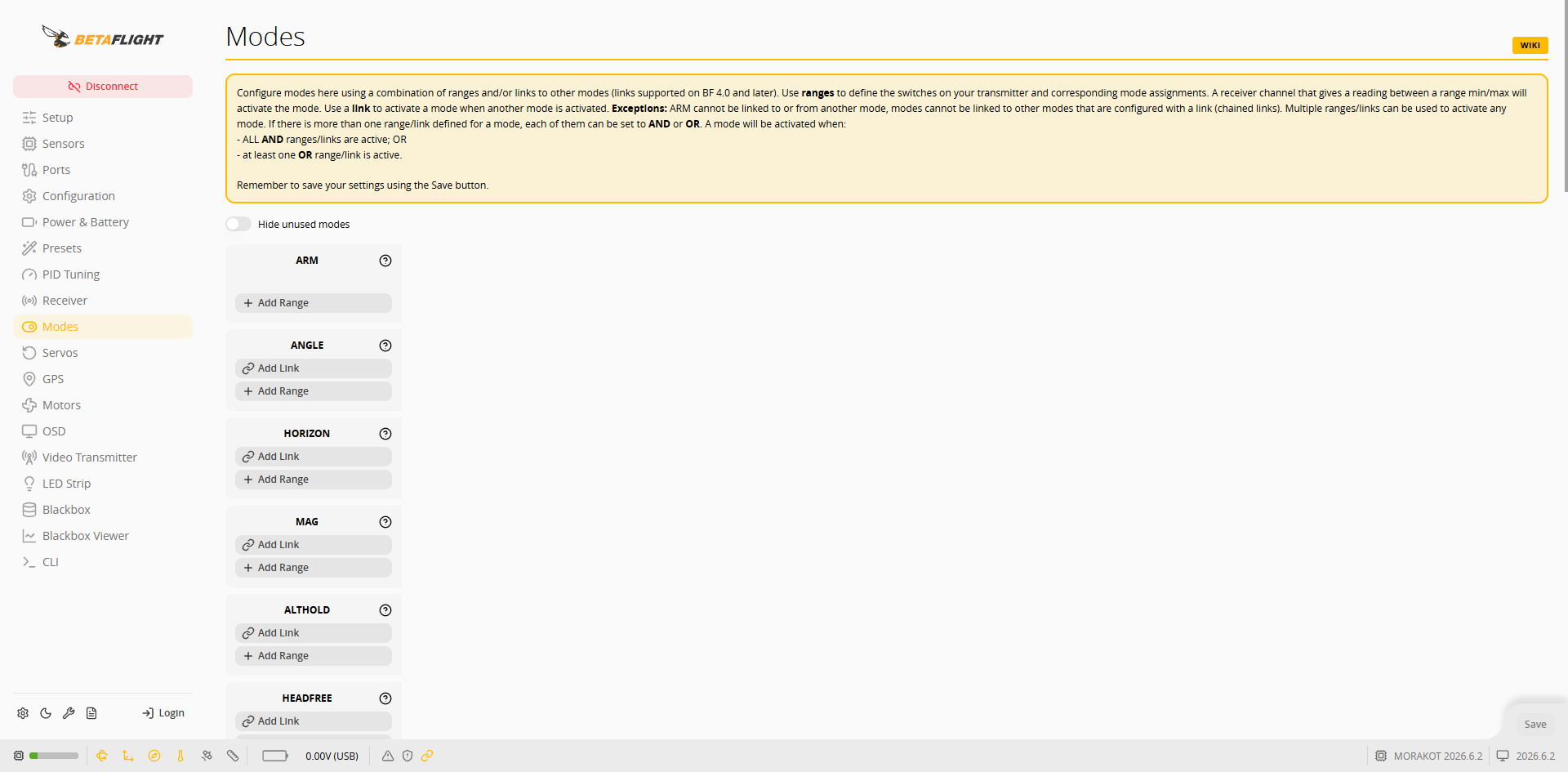
กำหนดสวิตช์ของรีโมตคอนโทรล (ช่องสัญญาณ AUX) ให้กับการอาร์มและโหมดการบินในหน้า **Modes**
 ## เพิ่มช่วง
1. กด **Add Range** ที่โหมดที่ต้องการใช้
2. เลือกช่องสัญญาณ AUX ที่ตรงกับสวิตช์จากเมนูช่องสัญญาณ
## เพิ่มช่วง
1. กด **Add Range** ที่โหมดที่ต้องการใช้
2. เลือกช่องสัญญาณ AUX ที่ตรงกับสวิตช์จากเมนูช่องสัญญาณ
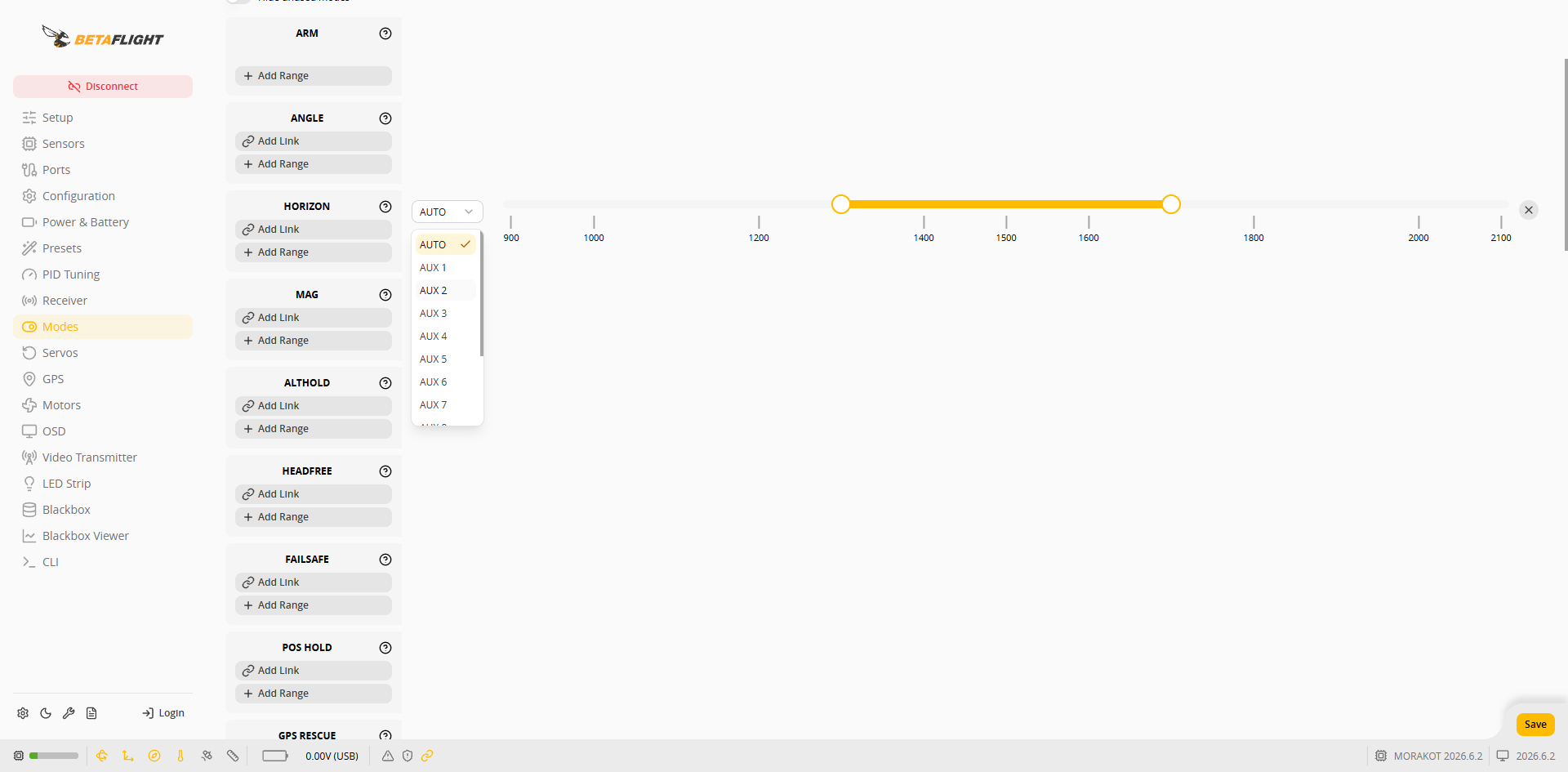 3. ลากปลายทั้งสองด้านของแถบเลื่อนเพื่อกำหนดช่วงค่าที่ตรงกับตำแหน่งสวิตช์ เมื่อตำแหน่งสวิตช์อยู่ในช่วงนี้ โหมดนั้นจะทำงาน
4. กด **Save** ที่มุมขวาล่าง
## ตัวอย่างการตั้งค่า
ใช้ AUX 6 เป็นสวิตช์อาร์ม และ AUX 7 เป็นสวิตช์โหมดการบินแบบสามตำแหน่ง:
| โหมด | ช่องสัญญาณ | ช่วง |
| -------- | ---------- | --------- |
| ARM | AUX 6 | 900~1300 |
| HORIZON | AUX 7 | 900~1200 |
| ALTHOLD | AUX 7 | 1300~1650 |
| POS HOLD | AUX 7 | 1725~2100 |
3. ลากปลายทั้งสองด้านของแถบเลื่อนเพื่อกำหนดช่วงค่าที่ตรงกับตำแหน่งสวิตช์ เมื่อตำแหน่งสวิตช์อยู่ในช่วงนี้ โหมดนั้นจะทำงาน
4. กด **Save** ที่มุมขวาล่าง
## ตัวอย่างการตั้งค่า
ใช้ AUX 6 เป็นสวิตช์อาร์ม และ AUX 7 เป็นสวิตช์โหมดการบินแบบสามตำแหน่ง:
| โหมด | ช่องสัญญาณ | ช่วง |
| -------- | ---------- | --------- |
| ARM | AUX 6 | 900~1300 |
| HORIZON | AUX 7 | 900~1200 |
| ALTHOLD | AUX 7 | 1300~1650 |
| POS HOLD | AUX 7 | 1725~2100 |
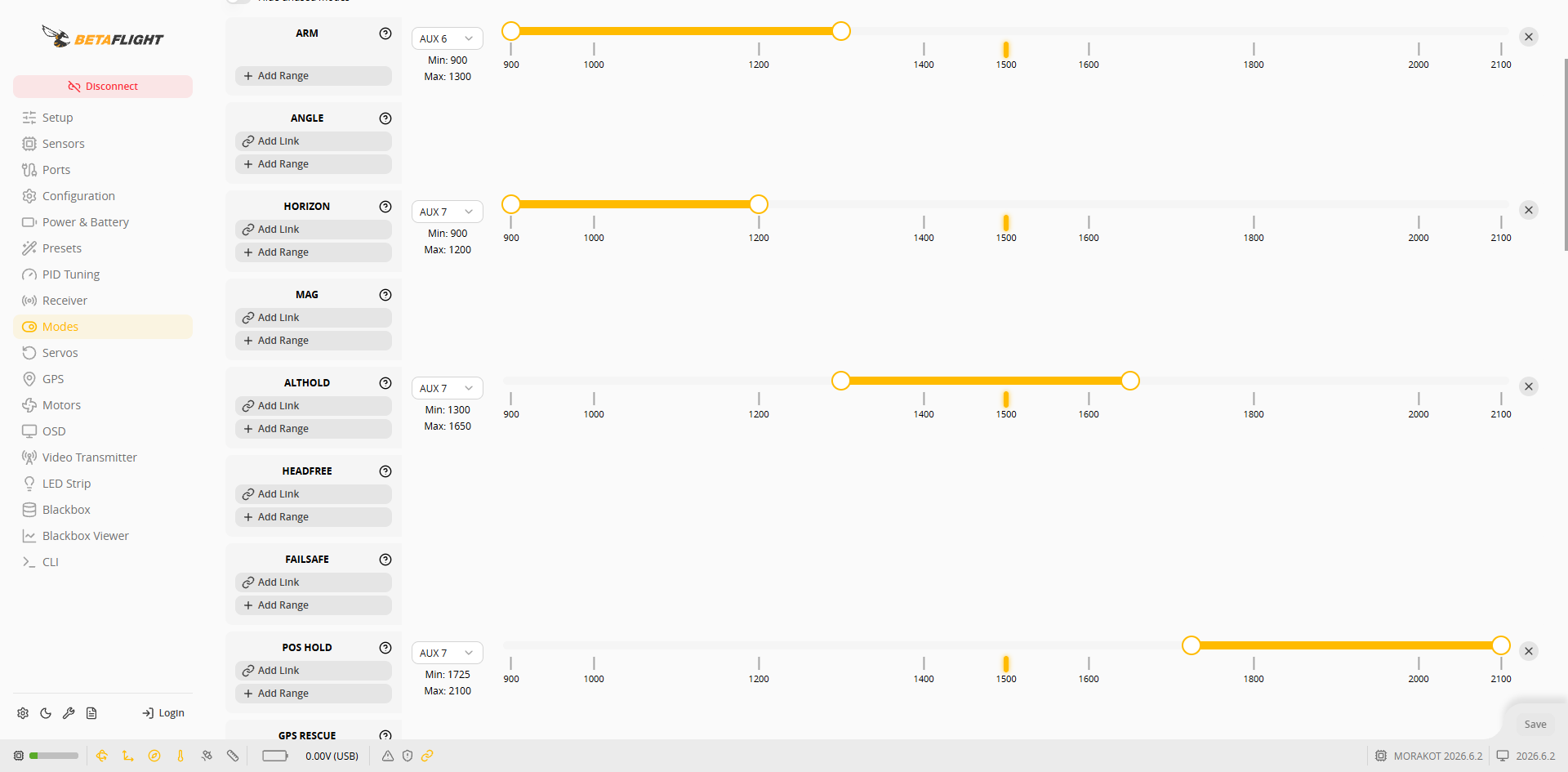
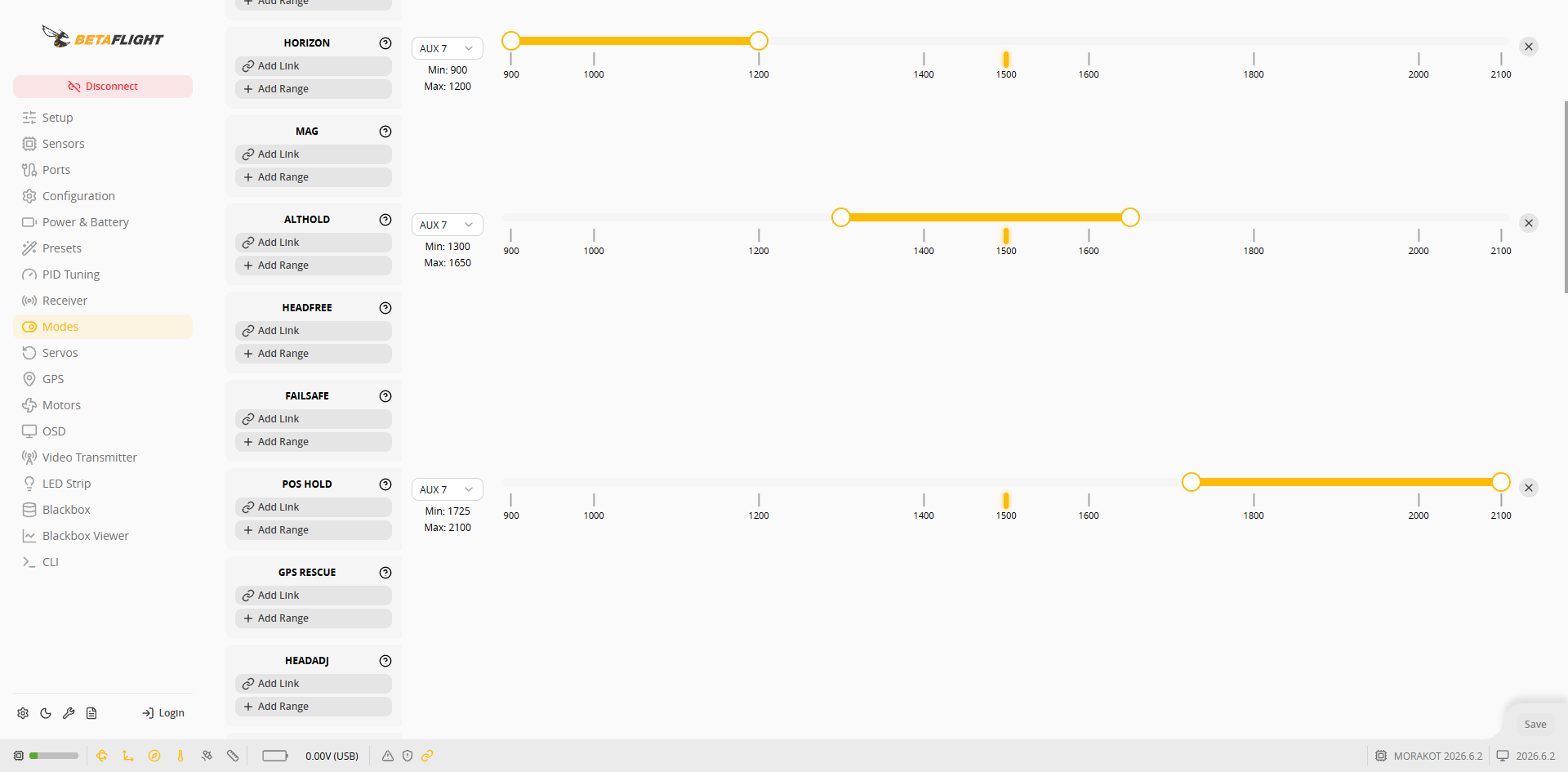 ปรับช่องสัญญาณและช่วงตามการตั้งค่าสวิตช์ของรีโมตคอนโทรล โดยยึดค่าจริงของสวิตช์ใน [ตั้งค่าตัวรับสัญญาณ](/taiphoon.com-docs/th/firmware/betaflight/first-setup/receiver.md) เป็นหลัก
{% hint style="info" %}
* เมื่อไม่ได้เปิดใช้โหมดรักษาเสถียรภาพอัตโนมัติ เช่น ANGLE หรือ HORIZON ตัวควบคุมการบินจะบินในโหมด Acro
* ALTHOLD ต้องใช้บารอมิเตอร์ ส่วน POS HOLD ต้องมีการระบุตำแหน่งด้วย GPS
* เมื่อสวิตช์อยู่ในช่วงของ ALTHOLD จะไม่สามารถอาร์มได้ ดูข้อจำกัดการอาร์มใน [การบินครั้งแรก](/taiphoon.com-docs/th/firmware/betaflight/first-flight.md)
{% endhint %}
ปรับช่องสัญญาณและช่วงตามการตั้งค่าสวิตช์ของรีโมตคอนโทรล โดยยึดค่าจริงของสวิตช์ใน [ตั้งค่าตัวรับสัญญาณ](/taiphoon.com-docs/th/firmware/betaflight/first-setup/receiver.md) เป็นหลัก
{% hint style="info" %}
* เมื่อไม่ได้เปิดใช้โหมดรักษาเสถียรภาพอัตโนมัติ เช่น ANGLE หรือ HORIZON ตัวควบคุมการบินจะบินในโหมด Acro
* ALTHOLD ต้องใช้บารอมิเตอร์ ส่วน POS HOLD ต้องมีการระบุตำแหน่งด้วย GPS
* เมื่อสวิตช์อยู่ในช่วงของ ALTHOLD จะไม่สามารถอาร์มได้ ดูข้อจำกัดการอาร์มใน [การบินครั้งแรก](/taiphoon.com-docs/th/firmware/betaflight/first-flight.md)
{% endhint %}